KNOW THE MAP. OWN THE ROUND.

Mirage

de_mirage

Choose a destination. Find your angle.

3 destinations4 lineupsOnly Mirage is included in this first preview.
Sample previewView published library →
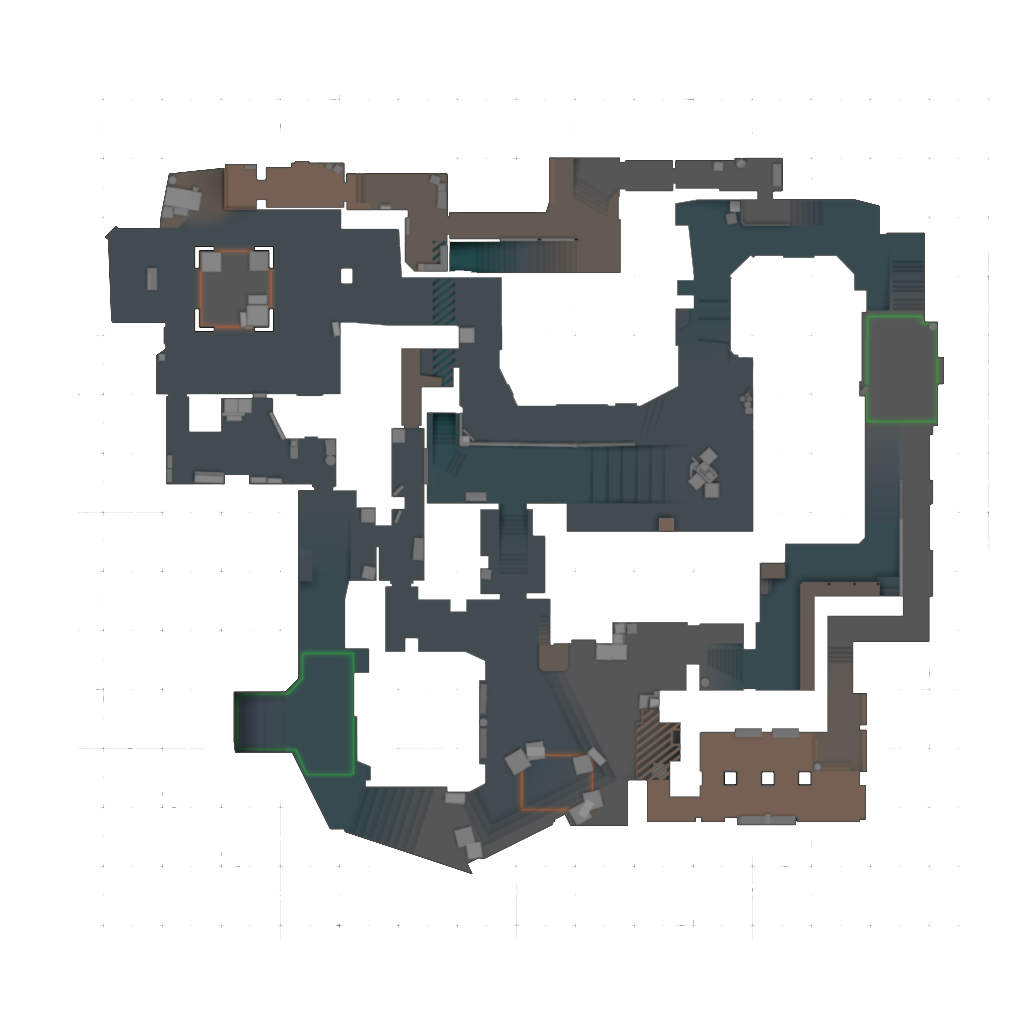
de_mirageOverview
Destination1Starting position

Drag to pan · use + / − to zoom

Sample markers · positions not verified in game

Connection shows the selected lineup, not its flight path.

Smoke destination

CTA

StandingJump throwLeft click

The setup

Sample content

Stop at the example starting corner in T-spawn.

Original schematic illustrations. These sample lineups are not verified in CS2.

Take it into the server

Your own space to repeat the throw. Reset, fly around, and try again.

Practice not connected

The game-server integration is not connected yet. You can still explore every lineup.

Your practice shortcuts

Copy both binds and paste the line into the CS2 console. They replace H and N bindings and will work on our practice server once it is connected.

HReset lineup

Return to the lineup's position and aim, clear smoke, and equip a new grenade. Turns noclip off.

NToggle noclip

Toggle flying to inspect the smoke. Press N again to stop flying, or H to reset the lineup.

bind "h" "css_r"; bind "n" "css_noclip"

CT / Position

Position — Sample content

Original schematic illustrations. These sample lineups are not verified in CS2.

Less setup. More practice.

Planned practice controls — the game server is not connected in this preview.

01

Reset lineup!r

Return to the active lineup, restore your view, clear the smoke, and equip a new grenade. Noclip switches off.

02

Toggle noclipcss_noclip

Fly over to inspect the smoke, then reset whenever you are ready for another attempt.